Web Designing Training Program
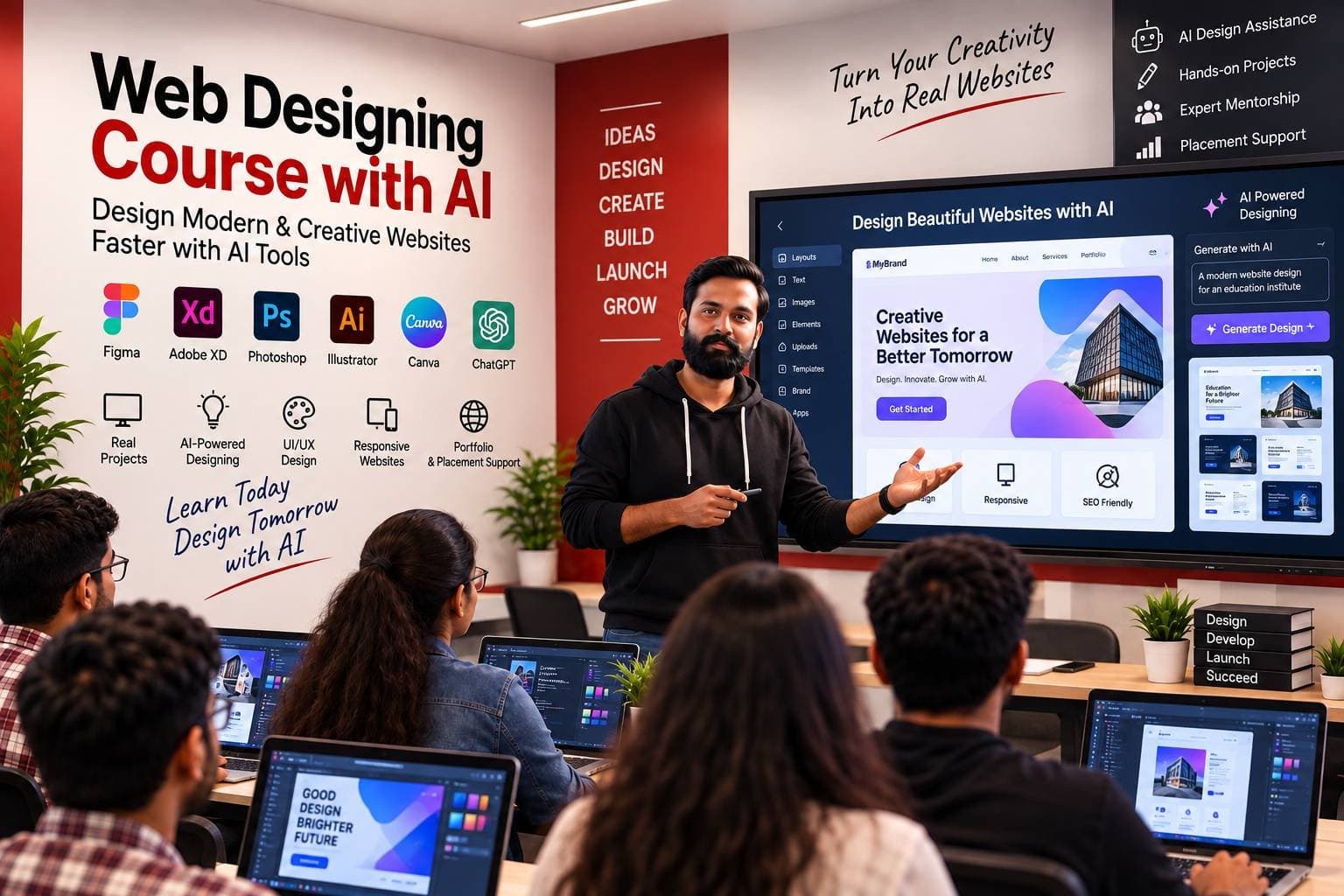
Web Designing Course with AI
Practical classroom web designing training covering HTML5, CSS3, responsive design, Bootstrap, JavaScript and modern UI — with AI-assisted website creation using Codereon.
- Career SupportPlacement Support
- OfflineClassroom Training
- CertificationIndustry Recognized
Course Overview
Web Designing Course with AI is a practical program for learners who want to build modern, responsive and professional websites from scratch. The course covers HTML5, CSS3, responsive design, Bootstrap, JavaScript, browser developer tools and modern website UI development, along with AI-assisted coding workflows using Codereon.
You learn how websites work, structure pages with semantic HTML, style interfaces with CSS (including Flexbox and Grid), build responsive layouts with Bootstrap, and add front-end interactivity with JavaScript. The programme also covers code editors, browser DevTools, reusable UI components, basic on-page SEO and simple deployment so you can publish a complete website project.
Alongside core design skills, you use Codereon (AI Code Builder) as an AI-assisted development environment — to generate, explain, debug, refactor and improve HTML, CSS and JavaScript — while still learning the fundamentals yourself. Training is delivered at Stepping Skills in Yamunanagar for learners seeking web designing training in Yamunanagar.
- Practical LearningBuild real responsive websites
- Front-End FocusHTML, CSS, Bootstrap & JavaScript
- Modern UILayouts, components and conversion-focused sections
- AI-Assisted WorkflowCodereon for coding, debugging and polish
- Career SupportGuidance for interviews and next steps
Who is this course for?
This course is suitable for anyone who wants to build a career in digital marketing.
- Students & GraduatesStart a practical web designing path
- BeginnersLearn HTML, CSS and Bootstrap step by step
- Working ProfessionalsUpskill for front-end and UI roles
- FreelancersBuild client-ready responsive websites
Why Choose Stepping Skills?
Industry-focused training, expert guidance and career support.
- Beginner-friendly web designing training from fundamentals to projects
- Practical website-building approach with real UI sections
- HTML, CSS and JavaScript fundamentals for modern sites
- Bootstrap-based responsive design
- Modern UI development and reusable components
- Code editors and browser DevTools for debugging
- AI-assisted development workflows with Codereon
- SEO-friendly website structure basics
- Deployment basics to publish a finished website
- Career-oriented practical learning with counsellor guidance
Course Curriculum
A structured module-wise curriculum covering web designing fundamentals, HTML/CSS, responsive layouts, Bootstrap, JavaScript interactions, DevTools, SEO basics, AI-assisted design with Codereon, and a complete website project with deployment basics.
Module 1: Introduction to Web Designing
- What is a website?
- How websites work
- Browser and server basics
- Front-end vs back-end
- Static vs dynamic websites
- Website structure overview
- Introduction to web development workflow
- Setting up a development environment
Module 2: Code Editors & Development Environment
- Code editor basics (e.g. Visual Studio Code)
- Project and file structure
- Creating HTML files and working with folders
- Extensions and productivity tools
- Browser preview
- Developer Tools, Inspect Element and Console
- Debugging basics and clean coding practices
Module 3: HTML5 Fundamentals
- HTML document structure and elements
- Headings, paragraphs, links, images and lists
- Tables, forms and buttons
- Semantic HTML and attributes
- Media elements
- Accessibility basics
- SEO-friendly HTML structure
Module 4: Modern HTML & Page Structure
- Header, navigation and main content
- Sections, articles and footer
- Forms and card-style content blocks
- Content hierarchy and accessible markup
- SEO-friendly page structure
Module 5: CSS Fundamentals
- CSS syntax, selectors and properties
- Colors, typography and backgrounds
- Borders, spacing, margins and padding
- Box model and positioning
- Pseudo-classes and pseudo-elements
Module 6: Modern CSS Layout
- Flexbox layouts
- CSS Grid layouts
- Responsive containers, columns and alignment
- Spacing systems and reusable styles
- Cards, navigation, heroes and modern UI layouts
Module 7: Responsive Web Design
- Mobile-first design
- Media queries and breakpoints
- Mobile navigation patterns
- Responsive images and typography
- Desktop / tablet / mobile layouts
- Cross-browser considerations
Module 8: Bootstrap
- Bootstrap setup, containers and grid system
- Rows, columns, typography and buttons
- Cards, navbar, forms, alerts and modals
- Utilities and responsive classes
- Building complete pages with Bootstrap components
Module 9: Modern Website UI Design
- Website layout planning
- Hero, navigation and feature sections
- Services, pricing cards and testimonials
- FAQ, contact, CTA and footer design
- Visual hierarchy, spacing and typography systems
- Conversion-focused layouts
Module 10: JavaScript for Web Designers
- JavaScript fundamentals, variables and data types
- Functions, conditions, loops, arrays and objects
- Events, DOM manipulation and event listeners
- Dynamic content and interactive buttons
- Navigation menus, tabs, accordions and modals
- Form interactions
Module 11: Forms & Front-End Validation
- HTML forms, structure and input types
- HTML and JavaScript validation
- Error messages and form UX
- Contact forms and login/register UI patterns
Module 12: Website Components & Reusable UI
- Reusable sections, cards and buttons
- Navigation, hero and feature blocks
- FAQ and CTA components
- Consistent design systems and reusable CSS classes
- Component-based thinking for websites
Module 13: Website Debugging & Browser DevTools
- Inspecting HTML and CSS
- Console and network basics
- Responsive device testing
- Finding and fixing layout / CSS problems
- JavaScript errors and performance basics
- Cross-browser testing
Module 14: AI-Assisted Web Design
- What AI-assisted development means
- Using AI to understand HTML, CSS and JavaScript
- Generating website sections and CSS
- Improving designs, explaining and debugging code
- Refactoring, optimizing and generating responsive layouts
- UI ideas, accessibility and SEO-friendly markup with AI
- Using AI responsibly (verify, do not blind copy)
Module 15: Codereon AI Code Builder
- Introduction to Codereon as an AI-assisted development environment
- Understanding a project and asking AI to explain code
- Generating HTML, CSS and JavaScript UI sections
- Debugging, fixing responsive issues and refactoring
- Improving code quality and generating reusable components
- Working with project files in an AI-assisted workflow
Module 16: AI + Responsive Design
- Converting desktop layouts to responsive layouts
- Improving mobile layouts and fixing CSS responsiveness
- Generating media queries and improving spacing/typography
- Testing UI structures and identifying layout problems
Module 17: Website SEO Basics
- SEO-friendly HTML and heading structure (H1/H2/H3)
- Title tags, meta descriptions and image alt text
- Semantic HTML and internal linking basics
- Mobile friendliness, page speed awareness and clean URLs
- Basic on-page SEO checklist
Module 18: Website Project — Professional Business Website
- Header, navigation and hero section
- About, services, features and gallery
- Testimonials, FAQ, contact form and CTA
- Footer and SEO-friendly structure
- Responsive mobile design and basic JavaScript interactions
- HTML, CSS, Bootstrap, JavaScript and Codereon in one build
Module 19: Final Project & Deployment
- Final website review and responsive / browser testing
- Code cleanup, SEO checks and image optimization basics
- Domain and hosting basics
- Uploading website files and deployment
- Final project presentation
What you'll be able to do
Learning Outcomes
- Build structured websites using HTML5 and semantic markup
- Style modern interfaces using CSS fundamentals and the box model
- Create responsive layouts with Flexbox and CSS Grid
- Build responsive websites using Bootstrap components and utilities
- Add interactive front-end behaviour with JavaScript and the DOM
- Create user-friendly forms with front-end validation
- Use browser Developer Tools to inspect and debug HTML, CSS and JavaScript
- Build reusable website sections and UI components
- Apply basic on-page SEO principles to website structure
- Build complete responsive website projects from planning to polish
- Use AI to generate, explain, debug and improve website code responsibly
- Use Codereon as an AI-assisted development environment for web designing
Tools Covered
Tools Covered
Learn industry-standard tools used by modern digital marketers.
- HTML5
- CSS3
- JavaScript
- Bootstrap
- Visual Studio Code / Code Editors
- Chrome DevTools
- Git
- GitHub
- Codereon (AI Code Builder)
- AI-Assisted Development
Our Placement Success
Our students are working with top companies across industries.
Happy students are the bedrock of any strong institute and ours is no exception. Read our Student Reviews.

TESTIMONIALS
What Our Students Say
Real feedback from people learning with Stepping Skills.
"I recently completed the digital marketing coaching class and I'm absolutely thrilled with the experience! The instructor's expertise and teaching style made complex concepts easy to grasp. Best digital marketing institute in yamunanagar " stepping skill " Very supportive teacher ( Ajay sir ) and other staffs Owner - Aman sir very helpful guidance and supportive for students

The best institute is the one which gives you knowledge along with skills and confidence, which are necessary for success in life. A good educational foundation provides a strong foundation for your future. [Stepping Skills]🥰

Very amazing experience I'm happy to be here for learn some computer skills Thank you Mr. Aman sir and Mr. Ajay sir

Veryy good Experience For the Stepping skills center I'm glad here to be with a Amazing Teacher Mr.Aman sir and Mr.Ajay sir

Best digital marketing institution in yamunanagar. The teachers are very nice, and the way of teaching is also nice. Sahil and aman sir are very talented.

I have completed my Nailart course from Stepping Skills and I had a wonderful experience. Pawan sir taught us very calmly and friendly. It is a best institute in Yamunanagar with best fares.

Stepping skills is best digital marketing institute in Yamuna Nagar. Aman sir and sahil sir I have a great experience learning from both of you .

This is the best digital marketing institute in yamunanagar. I had a very great experience here. Sahil sir teaching skill is superb and easy to understand . If you also want to learn this skill and enhance your knowledge, I highly recommend you to join this institute. stepping skills

My experience with stepping skills is amazing. Aman sir is very talented teacher he explains all topics and clear all my doubts.I am doing Full stack webdesign course from there.From this course I learn a lot about web design and improve my skills.

Stepping Skills is the best Institute in Yamunanagar. Classes with Aman sir have been fun. way of teaching and making difficult things easier so that one can understand and remember everything. I recommend him to everyone for web designing course ..

Dear stepping skills I wanted to take a moment to express my sincere appreciation for all that you have done for me. Your institute has played a significant role in shaping my mind in a digital creater and i am grateful for the opportunities you have provided me.

my experience in stepping skills are grateful aman sir is very talented teacher he explains all topics very briefly. most recommended institute in yamuna nagar stepping skills is best institute

Amazing experience with the institute. Very happy with the methodology followed to teach and extra effort put in by sir Aman. The environment is very comfortable and cherishable to enhance and learn. I had a great experience and will suggest to join the institute.

Best graphic designing institute in yamuna nagar. The faculty is very trained and helpful they build up my skills and designing also. Thank you stepping skills

Stepping Skills is really the Best Digital Marketing Institute in Yamunanagar. Aman sir has exceptional coaching skills in the fields of SEO and digital marketing. He has a wealth of knowledge and experience, and he has a talent for breaking down complex concepts into simple, understandable terms. His coaching has been instrumental in helping me develop and implement effective online marketing strategies. I…

The structure of Digital marketing course very Good, from basic to advanced with all live session. Aman sir explained how to develope a creative strategy based on campaign research to engage an audience and deliver on campaign goals for your digital marketing campaign. He teach well, also repeat until we understand. Importantly even after the course, they extend there support as much as they can. Thanks to all…

Stepping Skills is really the Best Digital Marketing Institute in Yamunanagar. Aman sir has exceptional coaching skills in the fields of SEO and digital marketing. He has a wealth of knowledge and experience, and he has a talent for breaking down complex concepts into simple, understandable terms. His coaching has been instrumental in helping me develop and implement effective online marketing strategies. I…

Stepping skills is the best digital marketing institute in yamunanagar. All facilities are provided and they give more emphasis to the practical learning all teachers are very cooperative and classes are well infrastructure if you looking for a best digital marketing institute you can apply stepping skills.

Best digital marketing in yamuna nagar. Aman Sir as a trainer is really one of the best trainers in the Digital Marketing field . He covered all the digital marketing modules in a easier way and provide in-depth knowledge of every module with hands-on practice. All teacher are fair work and help any problem.

Stepping Skills is really the best digital marketing institute in Yamunagar , Haryana. It provides quality content with in-depth knowledge to the learners . Staff is very cordial and cooperative. Aman Sir as a trainer is really one of the best trainers in the Digital Marketing field . He covered all the digital marketing modules in a easier way and provide in-depth knowledge of every module with hands-on…

my experience in stepping skills are grateful aman sir is very talented teacher he explains all topics very briefly. most recommended institute in yamuna nagar stepping skills is best best best best institute

best digital marketing institute in yamunanagar. very good staff behaviour aman sir are very cooperative and intelligent .overall stepping skills are very best institute for digital marketing and graphic designing ,100 percent job oppurtunity.

I am lucky to find a great institute like stepping skills in my nearby area it is very helpful in learning digital marketing and the teaching staff specially aman sir and keen in teaching every concept again and again. And u suggest for more students to join it in more number it proves very helpful in learning more towards your future goals

When I joined Stepping Skills, the best institute of digital marketing in Yamunanagar, I found myself at the right place for learning digital marketing in Yamunanagar. Furthermore, they are providing the best courses in digital marketing. Their classrooms and infrastructure are also good. Moreover, Aman sir is very hardworking to make their students learn the skills. I really have wonderful experience at Stepping…

Best graphic designing institute in ynr ............ the entire team of graphic designing are well experienced and advanced I am very satisfied with the course. I highly recommend to join this course whose are seriously bright their future.

Stepping skills is the best digital marketing institute in Yamuna Nagar.Loved studing here.It has been a great experience with Aman sir,our mentor and other staff.

Stepping skill is the best institute for Digital marketing in Yamuna Nagar . The best part of this insitute provides practical session and make thier students to be successful in thier carrier .overall its a best by coperative staff n teachers

Stepping skill is Best digital marketing institute in Yamunanagar . And the team of stepping skill is very responsive and supportive and they also give us new updates regarding digital world to increase our knowledge about it .and my experience was amazing am very happy to join it .

best digital maketing in yamunanager

very good staff behaviour and its best place to learn digital marketing. Friendly nature

I recommend going to stepping skills for learning digital marketing, Aman sir and other staff are very cooperative and knowledgable at the same time. Its the best digital marketing institute in yamunanagar.

Stepping skills is the Best digital marketing institute in yamuna nagar. The best Coaching staff of digital marketing. They can provide Full knowledge about digital marketing. anThanks aman sir

Mine experience with stepping skills is amazing.The management is very good and they are friendly and supportive.stepping skills provide a complete knowledge of graphic designing course.The trainer knowledge is absolute brilliant.

Stepping skills is best digital marketing institute ni yamunanagar ,their staff is very experienced and too corporative.my experience of stepping skills was amazing

I am about to start my internship and excited about the topics which we will be covering Best institute in the town. you get to work on your own projects with Aman sir's guidance.

Stepping skills is the best graphic designing institute. Their teaching way is best, easy and simple. I have gained lot of knowledge and have become much more confident because of the training.

Loved studying here, it has really been a great experience with Aman sir, our mentor and all the other staffs here. I'd 10/10 recommend this institute to everybody who are interested or planning to in get into digital marketing. :)

Best Digital Marketing Institute I found in Yamuna Nagar. Behavior of every staff is very responsive. Our teacher Aman sir teaching skills is superb and easy to understand. Here they provide internship too. I am happy to join this institute. Hop Thanks Aman Sir and Staff ❤❤

A good education can change anyone but good teacher can change everything. First i thanks to Aman sir. Stepping skill provide a complete knowledge of Digital Marketing course.The trainer knowledge is absolute brillant.

Stepping skills is the best digital marketing institute I ever had seen. Their staff is too cooperative & teaches in a very friendly way. Their way of teaching is awesome .

My experience in stepping skills is very amazing. I found stepping skills as a best Institute of digital marketing. Their teaching way is best, very easy, simple. The teacher are very lovely and friendly. I found stepping skils as a unique place of my life. And also my batchmates are very lovely and caring.

Stepping skills - They don't just teach, they prepare us for the road ahead.

My experience of stepping skils was great. Nature of stepping skills teachers is good and helpful.

Thanks Aman Sir, Only due to your guidance i got this much confidence to achieve my first goal of 1 Lakh, I learned a lot from your live webinars as well as from your digital marketing course and using same strategies of live webinar i am on this stage.

The training was awesome .it gave me more infomaion and knowledge about website creation and search engine optimazation. very friendly and professional trainers. flexible timing. i made my website here mishrashop.com

My name is Kushal Thapa and I have completed my Advance Digital marketing Course from stepping skills and I'm totally satisfied with their teaching methods.

My name is Ishan and am studying in 10th class I have completed my computer basics classes (ms word, Excel, PowerPoint, internet) from stepping skills and I'm totally satisfied with their teaching methods and today I am very happy because I got my certificate with A+ grade. Thank you Stepping Skills

Best digital marketing institute in yamunanagar. The best coaching staff for us to become a digital marketer.♥️

Best Digital Marketing institute in Yamuna Nagar. Here Teachers are techno gurus who have not only theoretical but also practical knowledge, which is essential for nowdays to survive in current scenario industrial world. Really have good experience while enjoying studying here. Students like me from commerce background started liking terms like SMO, SEO etc.

Best Digital Marketing institute in Yamunanagar, Haryana, India. Here Great full Knowledge Digital Marketing, Marketing Facts. The Really have good experience while enjoying studying here. You explained everything from basic to advanced.

Invest in your future
Fees & Batches
Flexible batch timings, transparent fees and complete support to help you start your digital marketing career.
- Classroom Training
- Small Batch Size
- Certification Provided
Batch Information
Flexible weekday and weekend classroom batches. Seats are limited — ask counselling for the next intake.
- Weekday BatchMon – Fri
- Weekend BatchSat – Sun
Program Fees
Fee details and current offers are shared during free counselling at the Model Town centre.
- Classroom web designing training (HTML5, CSS3, Bootstrap, JavaScript)
- Responsive design with Flexbox, CSS Grid and media queries
- Modern website UI sections and reusable components
- Code editors, browser DevTools and front-end debugging
- AI-assisted web designing with Codereon (AI Code Builder)
- Complete responsive website project with mentorship and career guidance
- Course completion / certification support
Eligibility
Open to beginners and career switchers with basic computer literacy. Final batch fit is confirmed during counselling.
- Students (10+2 / Graduate)
- Working professionals
- Business owners & freelancers
- Aspiring web designers / front-end developers
- Basic computer familiarity recommended
Share your details
Looking for Help?
Prefer talking to someone directly? Reach our counselling team using the details below.
- Call+91-8950815500+91-9315576686Mon–Sat · 9:00 AM – 7:00 PM
- WhatsApp+91 89508 15500+91 93155 76686Chat with our counselling team
- Emailinfo@steppingskills.comsteppingskills@gmail.comWe reply within one working day
- Visit / AddressRajindra Building 578, opposite MLN Sr. Sec. School, Model Town, Yamuna Nagar, Haryana 135001
Frequently Asked Questions
View All FAQs →What is the Web Designing Course with AI?
It is a practical classroom programme focused on designing modern, responsive websites using HTML5, CSS3, Bootstrap and JavaScript, along with AI-assisted website creation using Codereon. It is front-end and UI focused — not a PHP/MySQL back-end development course.
What will I learn in the Web Designing Course?
You learn website structure, semantic HTML, CSS styling, Flexbox and Grid, responsive design, Bootstrap, front-end JavaScript, forms and validation, reusable UI components, browser DevTools, basic on-page SEO, deployment basics, and AI-assisted workflows with Codereon.
Is this web designing course suitable for beginners?
Yes. Beginners with basic computer skills can start from how websites work and progress step by step. Prior coding experience is helpful but not required.
Will I learn HTML and CSS?
Yes. HTML5 and CSS3 are core parts of the course, including semantic markup, the box model, Flexbox, CSS Grid and responsive layouts.
Does the course include Bootstrap?
Yes. You learn Bootstrap setup, the grid system, components such as navbar, cards, forms and modals, utilities and building complete responsive pages.
Will I learn JavaScript?
Yes. JavaScript is taught in a practical, front-end way — DOM manipulation, events, interactive UI patterns (menus, tabs, accordions, modals) and form interactions.
What code editors will I use?
You practise with modern code editors such as Visual Studio Code (and similar editors), including project structure, preview workflows and useful productivity habits. No editor partnership is claimed.
How is AI used in web designing?
AI is taught as a development assistant — to help generate sections, explain code, debug issues, improve responsive layouts and refactor front-end code — while you still learn and verify HTML, CSS and JavaScript yourself.
What is Codereon?
Codereon is an AI Code Builder used in this programme as an AI-assisted development environment that helps learners build, understand, debug and improve websites faster. It is an assistant, not a replacement for designers or developers.
Will I build a real website project?
Yes. You work toward a professional business website project covering common sections, responsive design, basic JavaScript interactions and deployment basics, with responsible use of Codereon along the way.